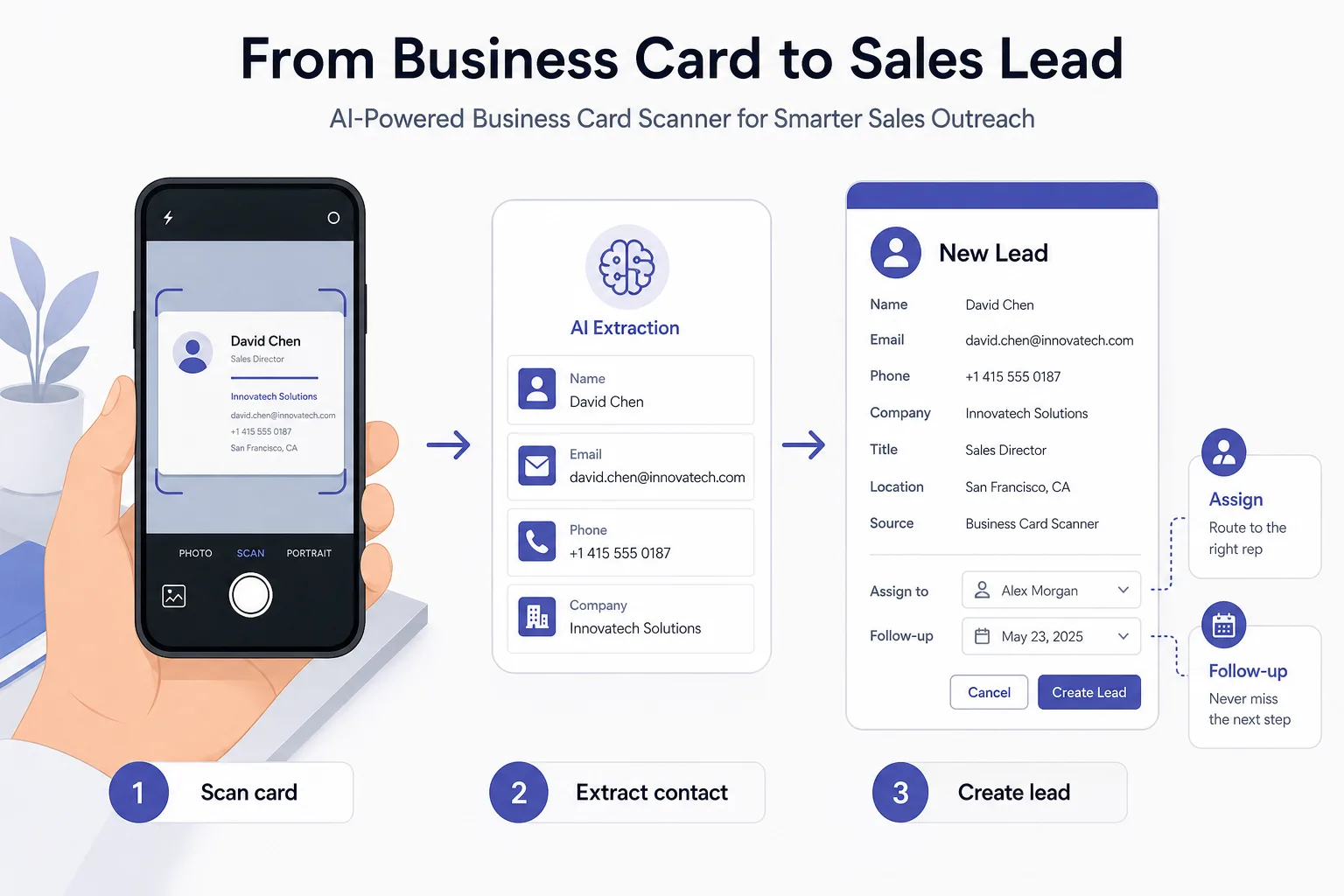
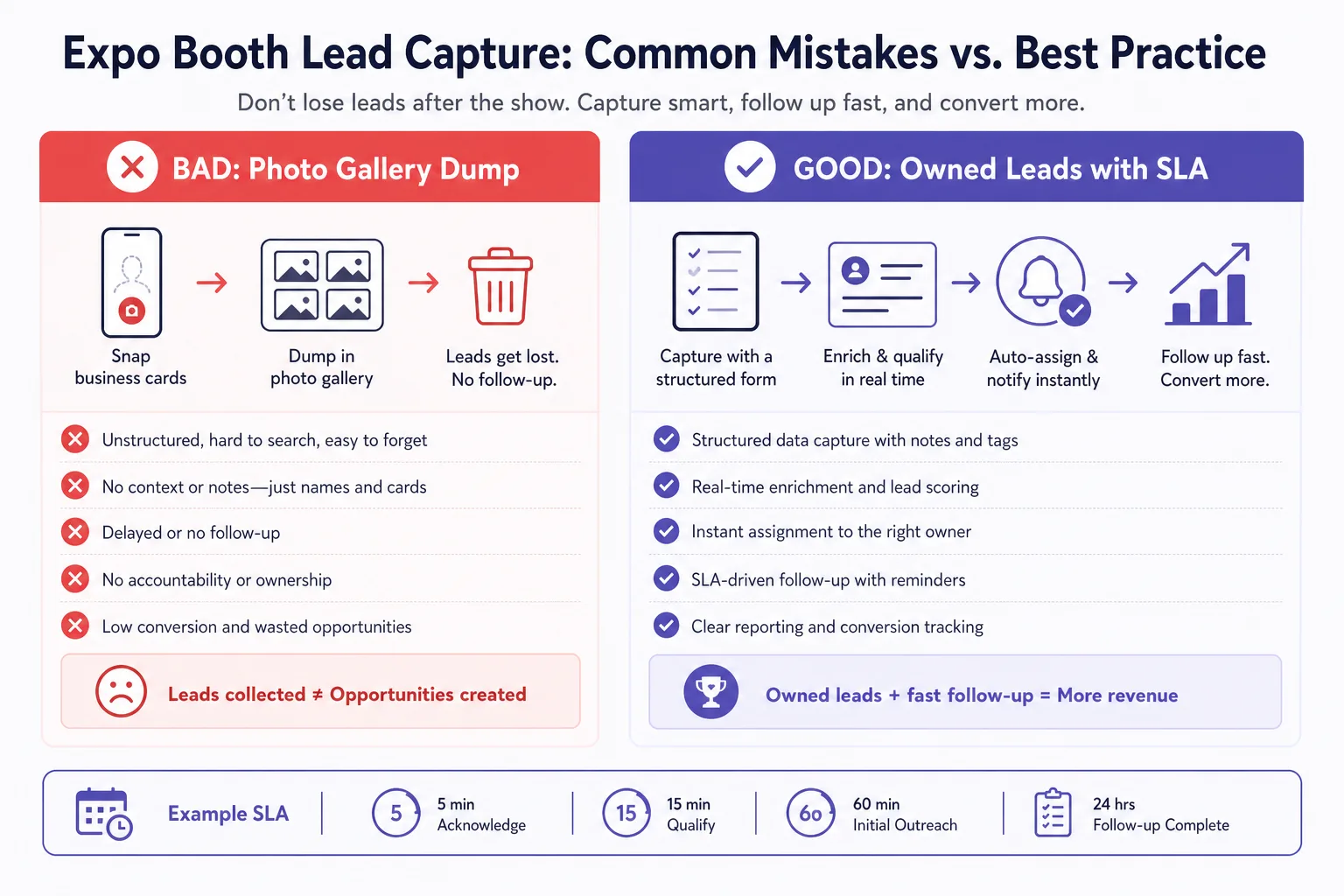
After a two-day expo, a typical field bag has forty card photos and zero follow-ups. The cards were “captured.” The pipeline was not. AI scanning only helps if the lead lands in the same queue your team works on Monday — with an owner and a deadline.
What a usable card-to-lead flow looks like
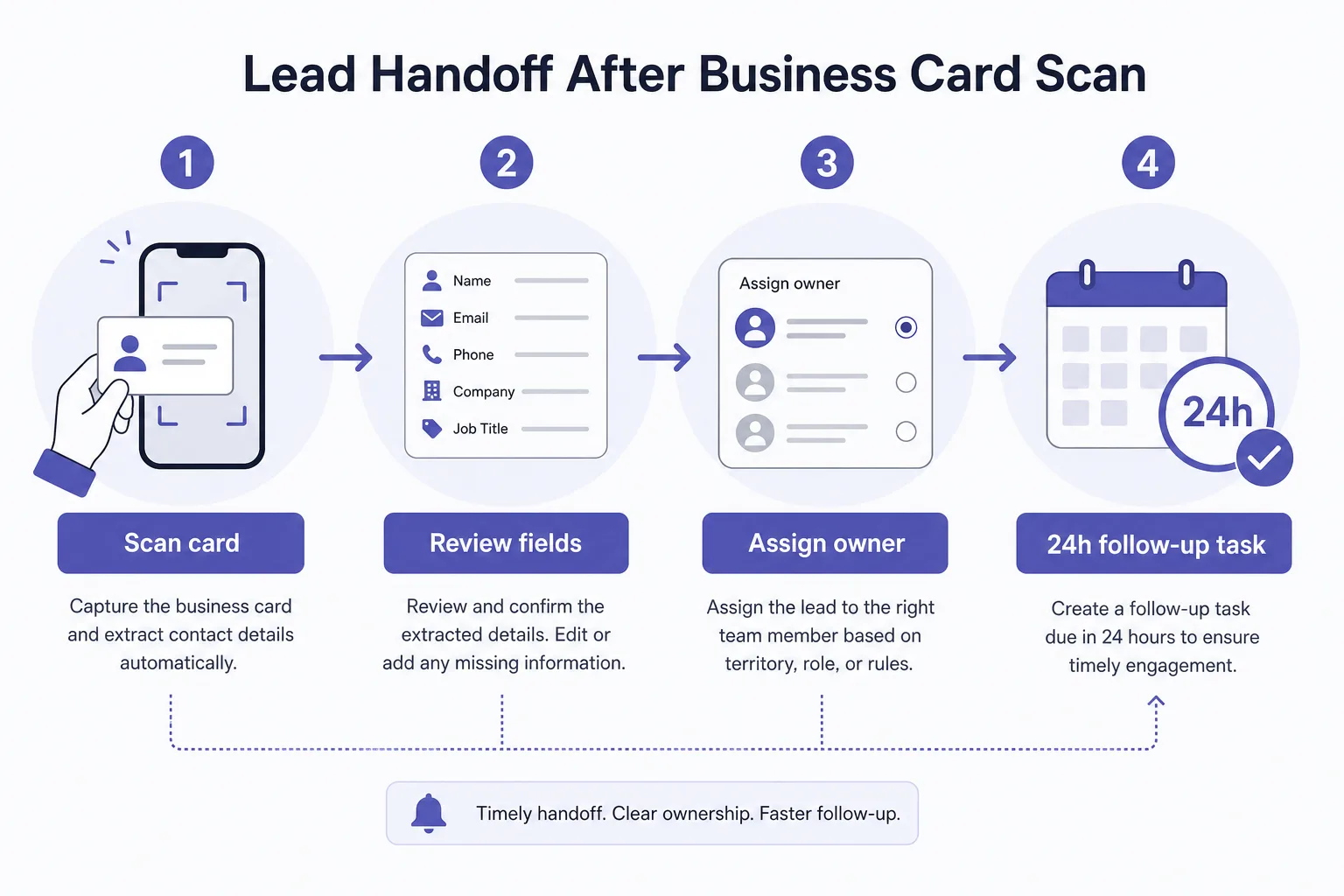
Scan → review → save as lead on one screen. Fix OCR mistakes in seconds (Indian visiting cards vary wildly). Tag source (stall, seminar, referral). Route by territory or product line before the hall empties. Create a 24-hour follow-up task automatically.
Booth operating rules that actually work
- One person owns “scan quality” — not every volunteer with a phone
- Every lead gets a source tag before the visitor walks away
- Duplicates against existing customers are flagged on save
- Daily end-of-day review: unassigned leads = process failure
Metrics after the event
- Cards scanned vs leads created (gap = abandoned scans)
- % assigned within 2 hours of close
- Contact rate in 24 / 72 hours
- Leads that became customers in 60 days by source tag
Features worth insisting on
- Fast correction UI for phone and email mistakes
- Duplicate detection against customers and open leads
- Same pipeline as website and inbound enquiries
- Export for partners who still live in Excel — without breaking ownership
Frequently asked questions
What is an AI business card scanner for sales leads?
It uses OCR/AI to read a visiting card and create a structured lead (name, phone, email, company) you can assign and follow up — instead of leaving contacts in a photo gallery.
How does B2Bhaarat turn card scans into leads?
B2Bhaarat supports AI-assisted visiting card capture into the same lead queue your team works daily, so expo contacts get owners and follow-ups — not abandoned camera rolls.
What should happen after scanning a visiting card at an expo?
Review the fields, tag the source, assign territory or product ownership, and set a 24-hour follow-up. B2Bhaarat is designed so scan is step one of a lead workflow, not the last step.