
Full offline mode
Browse products, create orders, and view customer history without network.

Browse products, scan cards, write orders, and apply promotions — even when the network drops. Everything syncs when signal returns.
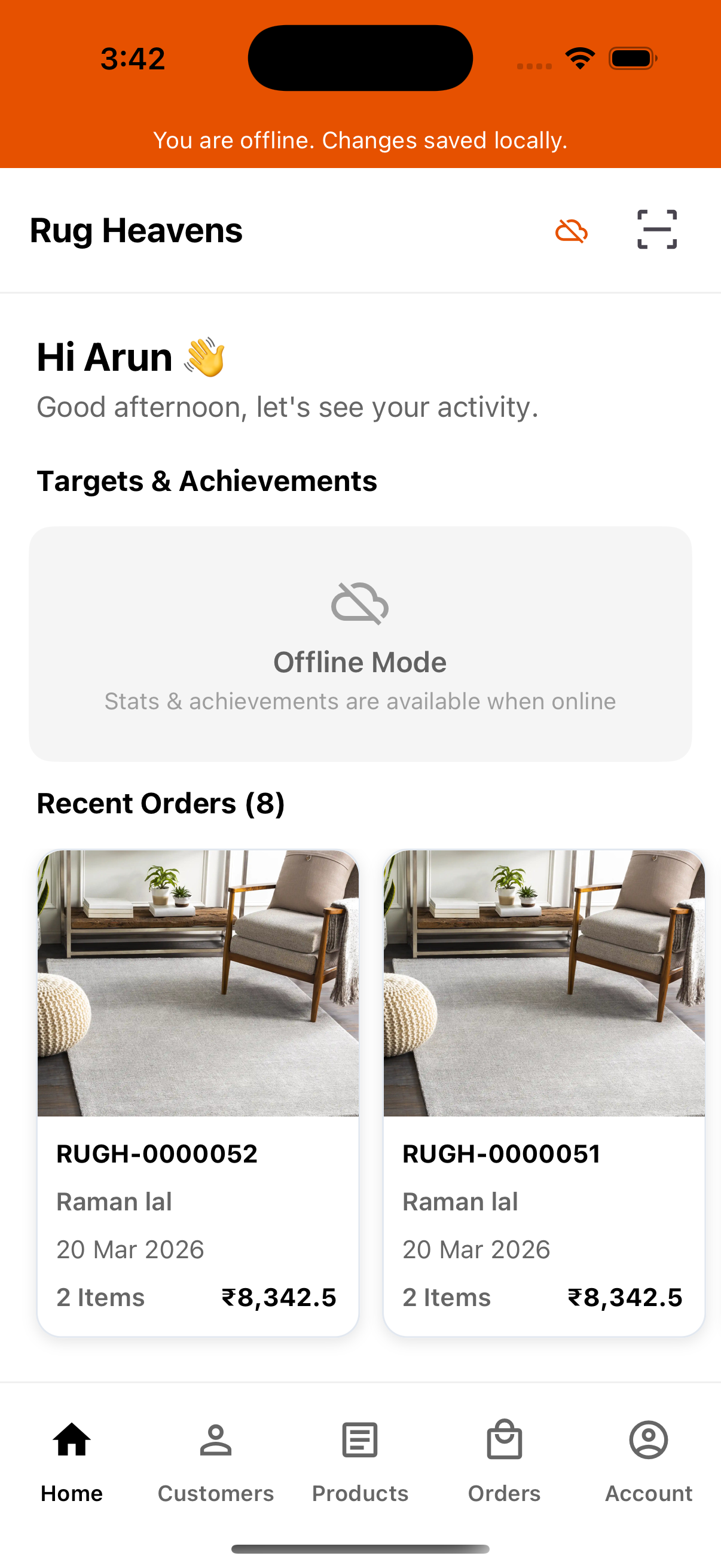
In the app
Tap each workflow below to preview what your reps see on device — six core flows from order booking to auto-sync.
Why field teams choose it
Browse products, create orders, and view customer history without network.
Queued orders, leads, and edits sync automatically when connectivity returns.
Capture leads from visiting cards with camera OCR — works offline too.
Pull up pricing and availability instantly by scanning product codes.
BOGO and amount-off rules apply at order entry — cached on device without network.
Order confirmations, lead assignments, and follow-up reminders on the go.
The usual way
Indian field sales teams lose orders and leads to bad connectivity and disconnected tools — B2Bhaarat mobile fixes both.
Counter sales slip away. Managers only find out at end of day — if the rep remembers to call it in.
Visiting cards pile up in pockets. Follow-ups are delayed or forgotten entirely.
Double entry, mismatched pricing, and orders that never match what was promised at the counter.
Slow counter service. Reps hesitate to upsell because they cannot confirm stock or price fast enough.
What you get
Offline orders, product browse, customers, card scan, alerts, and sync — documented the way field ops teams evaluate a sales app.
01 / 06 · Orders
Reps write orders at counters, markets, and warehouses with no network — orders queue and sync.
Beat routes and trade floors rarely have reliable signal. The app keeps catalog, pricing, and promotions on device so a counter sale never waits on connectivity.
How it works
Open the app — works offline.
Browse catalog, write order, apply offers.
Scan card or add manually.
Auto-sync when signal returns.
After go-live
The operational shift when field sales stop depending on signal and WhatsApp.
Orders written offline sync before end of day — nothing lost to bad signal.
Visiting card leads land in CRM with name, phone, and company auto-filled.
Same catalog, pricing, and promotions on mobile as the web dashboard.
Reps scan barcodes instead of searching long SKU lists at the counter.
Managers see field activity without chasing WhatsApp updates.
Trade scheme rules apply at order entry — even when offline.
Try it now
Download the app and test offline order booking on your device.Who uses this
Questions buyers ask
Install on any device
Point your phone camera at the QR code or tap the store badge below. Your sales team can install B2Bhaarat on Android or iOS in under two minutes.
Plan the rollout
We map your beat routes and offline workflows before recommending the right setup — no scripted demo.
